





Driving for a rideshare platform is not the same as using a regular business app. You are checking demand, accepting work, navigating unfamiliar streets, and keeping an eye on earnings while dealing with real people. I spent time looking at Lyft Driver from that practical angle, especially how much control it gives the driver and where trust depends on choices made outside the app.
Developed by Lyft, Inc., this free Business app is built for people who want to earn by driving with Lyft. Its simple store message focuses on getting started quickly, but the real question is whether the driver experience fits your schedule, phone habits, vehicle situation, and comfort with sharing information needed for a transport service. My view is positive for the right person, but I would not treat it as effortless income or as a complete replacement for careful planning.
What the driver experience is really built around
The app’s central job is to turn your phone into a working dashboard. Instead of switching between a passenger-facing rideshare app, a separate communication tool, and a navigation routine, you use the driver side of Lyft to manage the work connected with your driving shift. That makes the experience more focused than a general delivery or gig-work marketplace, because the main activity is taking passengers where they need to go.
I can see why the app has attracted a large audience. It has a 4.8 average from around 246 thousand ratings, and the listing shows over 5 million installs. Those figures suggest that the app is familiar to many drivers, although popularity should not be confused with guaranteed earnings or a perfect experience in every city.
The first useful distinction is between the app and the work itself. Installing it is free, and the content rating is Everyone, but becoming a driver still involves real-world eligibility, vehicle expectations, identity checks, and local requirements. The app is a gateway to that process, not a shortcut around it. If you are considering driving, I would prepare your documents and understand your local obligations before planning your first shift.
Lyft Driver is most appealing to someone who wants flexible access to driving work and is comfortable making decisions independently. It can suit a person with spare evening hours, a driver testing whether rideshare fits around another job, or someone who prefers passenger trips over package delivery. It is less suitable for anyone who needs a fixed wage, predictable daily demand, or guaranteed reimbursement for fuel and vehicle wear.
Starting out without confusing speed with certainty
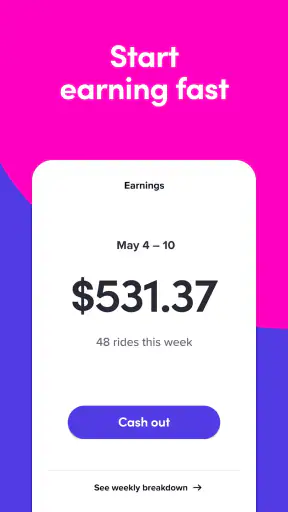
The store summary promises a fast start, and the app clearly aims to make the application path approachable. Still, “fast” should be read as a smoother beginning rather than an instant approval. A responsible new driver should expect to move through the required account and screening steps carefully, read each prompt, and avoid treating every available button as something to accept automatically.
One practical tip is to complete the setup when you are not distracted by passengers, traffic, or a rushed schedule. Account details, vehicle information, and identity-related decisions deserve your full attention. A small mistake during setup can create more friction later, particularly if you are trying to begin driving on a specific day.
The current version is 2026.32.3.1787124369, and the app supports operating systems from version 9 onward. That makes it accessible to many older phones, but compatibility alone does not guarantee a comfortable driving experience. Navigation, location services, mobile data, battery health, and screen brightness all matter. Before relying on an older device, I would test it during a normal drive and check whether it remains responsive while connected to a charger.
How I would use it during an ordinary shift
Imagine finishing a daytime job and deciding to drive for a few hours. I would first check the phone, charger, vehicle condition, and account status before leaving home. Once ready, I would use the driver app as the work center rather than repeatedly opening unrelated tools. The important habit is to make decisions while parked or stopped safely, not while moving.
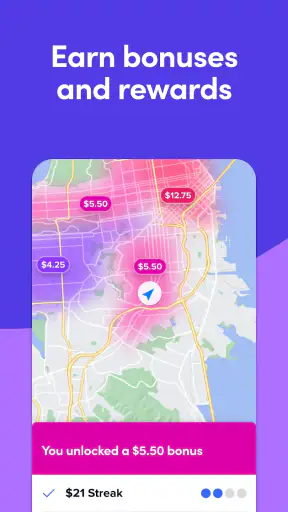
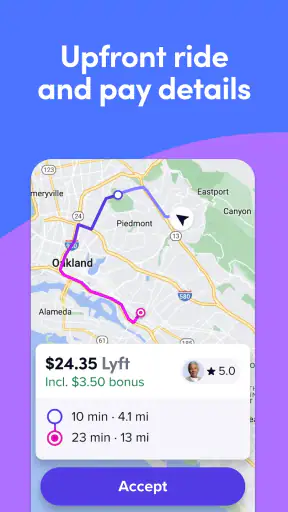
During a busy period, the temptation is to accept every opportunity because the screen makes the next trip feel immediate. I think that is where experienced judgment matters. Consider the pickup area, likely deadhead distance, traffic, and whether the trip takes you somewhere useful for your next decision. The app can present work, but it cannot know your fuel cost, personal fatigue, preferred neighborhoods, or the value of getting home on time.
After a passenger trip, I would take a moment to review what happened rather than relying on memory. Keep your own simple notes about hours online, fuel, tolls, cleaning, and vehicle maintenance. This is one of the most important non-obvious habits for a new driver: an in-app earnings view may help you follow platform activity, but your personal record is what helps you judge whether the work is worthwhile after expenses.
Another useful workflow is separating “available to drive” from “ready to accept anything.” If you are near the end of your shift, have a low battery, or need to remain close to home, decide that before opening the app. This reduces rushed choices and gives you a clearer boundary when the platform is asking for attention.
Trust begins with the account, not the rating
A high rating can reassure a potential driver, but trust should come from more than public feedback. With a driver app, I pay attention to the moments when it asks me to identify myself, confirm information, or make a choice about continuing. Those are the points where a careful user should slow down and read rather than tapping through automatically.
The developer is Lyft, Inc., which gives the product a clear identity and makes it easier to distinguish the official driver tool from unofficial services that may imitate its name or appearance. I would still install it through the normal official app channel and keep the account protected with a strong, unique password. A driver account is connected to work activity and personal information, so casual account sharing is a bad idea.
The app’s age rating is Everyone, but that label describes suitability of the software’s content, not the demands of driving passengers. The work involves strangers, traffic, late hours, and situations that require judgment. Parents or younger users should not interpret the rating as permission to drive; it is better understood as a content classification for the app itself.
One trust-building practice I recommend is reading every account notice in context. If the app asks you to update a document, confirm a detail, or review a status, do it from inside the official app rather than relying on a message that sends you elsewhere. This is not about assuming every notification is suspicious; it is about keeping sensitive actions inside a place you recognize.
Permissions and data-sensitive moments
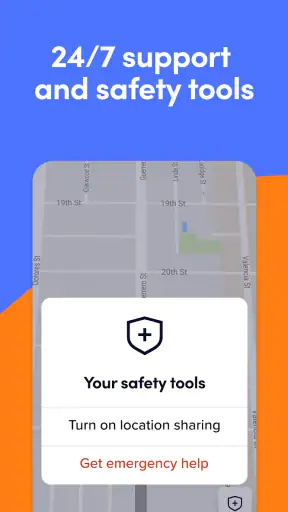
A driver app naturally needs information connected with trips and availability. Location is especially sensitive because driving work depends on knowing where the driver is and where a pickup may occur. I would treat location access as a deliberate trade-off: it may be necessary for the service to function properly, but it should not become an invisible background habit that you never review.
Check your phone’s permission controls before and after setup. Look at whether location access is active, whether notifications are useful or excessive, and whether the app has access to anything that does not make sense for your use. The exact choices can vary by operating system, so I prefer verifying them directly in the phone’s settings rather than assuming the default is ideal.
There are several moments when data sensitivity becomes more obvious. Account creation can involve identifying information. Driving can expose your location and movement patterns. Passenger communication can place personal conversations and contact details in the middle of a work interaction. Vehicle or payment-related information may also feel private. I would avoid entering sensitive details while parked in a busy area or with other people watching the screen.
A useful rule is to keep the driver phone as a work device whenever possible. Do not mix it with unnecessary personal accounts, private photos, or unrelated applications if you can avoid it. This will not eliminate every privacy concern, but it reduces the amount of personal material present on the same device used for rideshare work.
I also recommend reviewing notifications on the lock screen. A message preview can reveal trip-related or account-related information to anyone who sees your phone. Turning off previews while keeping essential alerts available is a small change that gives you more control without abandoning notifications altogether.
Where the app gives the driver agency
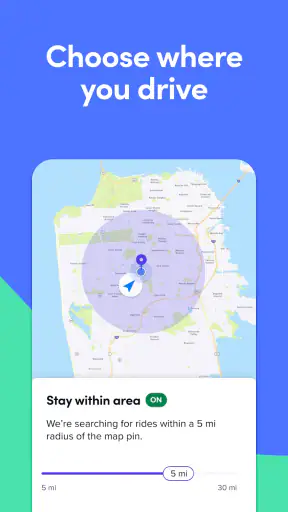
Driver independence is one of the strongest reasons to try this kind of app, but independence is not the same as unlimited control. You can decide when to work and when to stop, yet demand, traffic, passenger behavior, fuel prices, and vehicle costs still shape the result. I like the flexibility, but I would describe it as control over availability rather than control over income.
The best way to protect that agency is to create personal rules before a shift. For example, decide the minimum time you are willing to stay out, the neighborhoods you prefer to avoid at certain hours, and the point at which low battery or fatigue ends the session. These rules prevent the app’s next opportunity from making every decision for you.
There is also a psychological trade-off. A driver-facing app can make work feel like a stream of small choices, and that can encourage longer sessions than planned. I would set a timer or an end-of-shift reminder outside the app, especially when driving after a full day of other work. No trip is worth continuing when you are too tired to drive safely.
For privacy, I would use the phone’s system controls as an additional layer of agency. Review notification access, location behavior, and account security periodically, especially after an operating-system update. If another person helps with your vehicle, keep your driver account and phone unlocked only when necessary. Convenience is useful, but it should not come from leaving a work account exposed.
What it does better than the usual alternatives
Compared with a general job board, Lyft Driver is more directly connected to the moment when you are ready to drive. You are not applying separately for each small task or waiting for a traditional employer to schedule you. That immediacy is valuable for people who already have a suitable vehicle and want to decide their availability day by day.
Compared with delivery apps, the work has a different rhythm. Passenger trips can feel more continuous and destination-focused, while deliveries may involve waiting at restaurants, handling multiple orders, or carrying items. Neither model is automatically better. I would choose this app over a delivery alternative if I prefer driving people and do not mind the social side of the work. I would choose delivery instead if I want fewer direct conversations or if my vehicle setup is better suited to packages.
Compared with a taxi company or conventional driving job, the app-centered model may offer more scheduling freedom, but it usually places more responsibility on the individual driver. A traditional employer may provide clearer shifts, workplace support, or a more predictable structure. Lyft Driver is the better fit when flexibility matters more than certainty.
One subtle advantage is that the app encourages you to think in terms of a complete driving session rather than a single isolated ride. That makes it possible to plan around your own availability, but it also means you must evaluate the whole block of time. A short period with poor demand may not justify starting the car, while a longer session can increase fatigue and expenses. The right answer depends on your personal numbers, not the app’s promise of a quick start.
Limitations that should change your decision
The biggest limitation is that the app cannot remove the operating cost of driving. Fuel, tires, cleaning, depreciation, insurance considerations, and maintenance all affect what you keep. Anyone comparing Lyft Driver with a normal hourly job should calculate net results, not just the amount shown during active work.
Another weakness is the attention burden. Even when the interface is clear, a driver may need to monitor alerts, directions, pickup details, and changing circumstances. That is a lot of information for someone already navigating traffic. I would skip this app if you are uncomfortable managing a phone while parked, using a mount safely, and maintaining focus on the road.
It is also not the right choice for someone who needs guaranteed demand. A flexible platform can be useful during strong periods, but flexibility cuts both ways: you can log off when you want, and there may also be quiet periods when staying online is not worthwhile. If your budget cannot tolerate variable income, a scheduled driving role may be safer.
Privacy-sensitive users should think carefully before signing up for any location-based driving service. Even when the choices are presented clearly, the nature of the work means that trip and location information are central to the experience. If you are unwilling to make that trade-off, no amount of interface convenience will make the app a comfortable fit.
Small habits that make the experience safer and clearer
Before every shift, I would check three things: the phone’s battery and connection, the vehicle’s condition, and my own energy level. This sounds basic, but it prevents the app from becoming the only part of the work you prepare. A dead phone or tired driver can turn a flexible session into a stressful one very quickly.
Keep decisions separate from motion. Pull over before reading detailed trip information, changing settings, or handling an account prompt. If a notification arrives at a bad time, it can wait. The driver’s most important control is the ability to stop and deal with the screen safely.
For financial clarity, record the start and end of each session, fuel purchases, unusual cleaning costs, and maintenance. Review that record weekly instead of judging the app from one unusually good or bad evening. This is a more honest test of whether the platform works for you than focusing on a single attractive trip.
For account control, use a unique password, protect the phone with a lock screen, and sign out or secure the device if someone else uses it. Review the app’s permissions after major phone changes. These steps are not exciting, but they make the relationship with a work app more deliberate and reduce avoidable exposure.
My cautious recommendation
After looking at the app as both a work tool and a data-sensitive service, I think Lyft Driver is worth considering for an eligible driver who values schedule flexibility and is comfortable with the responsibilities of passenger driving. The free entry point and focused purpose make it easier to explore than a traditional job search, while the large user base suggests that the product is established enough to be familiar to many people.
I would recommend trying it with a limited, clearly measured schedule rather than immediately depending on it for essential bills. Track your real costs, notice how much attention the app demands, and review the account and permission choices instead of accepting every default without thought. That approach gives you useful evidence about your own situation.
I would steer a friend toward a scheduled driving job if they need predictable pay, or toward delivery work if they strongly prefer less passenger interaction. I would also advise against starting if they are already uncomfortable with location sharing, variable demand, vehicle expenses, or the need to make safety decisions independently.
Lyft Driver is not magic income in a phone. It is a practical tool for organizing rideshare driving, and its value depends heavily on the driver’s planning, boundaries, and willingness to understand the trade-offs. Used with those expectations, it can be a convenient way to test flexible driving work. Used without them, its quick-start appeal may hide costs and pressures that only become obvious after the first few shifts.


